logo Besenzoni Unit Control

Thank you for purchasing the Besenzoni Unit control for retracting gangways. Now choose the model of control unit between Black and White. You will find all the technical details and the installation and configuration guide for your Besenzoni Unit Control and the Besenzoni Control Device APP. If you have other questions or doubts please contact our service center by clicking here.
logo BUC
RETRACTING GANGWAYS
BLACK VERSION

Instructions for installation and use

Important information: Before positioning, installing and commissioning the device, read this instruction manual carefully as it contains important information on assembly, safety and use.
Do not change or tamper with any part of the device.
Improper use could harm people and/or objects.
Besenzoni S.p.A. cannot be held responsible for damages caused by failure to follow these instructions.
Keep these user instructions safe and pass them on to any future users. Only a specialised technician may install the Besenzoni Unit Control contained in this box. You may find it useful to check the “Assistance and Resellers” section in the Besenzoni Control Device App, which includes a map of our official Service points that you can contact.

DOWNLOAD INSTRUCTIONS
logo BUC

RETRACTING GANGWAYS
BLACK VERSION

This box contains:

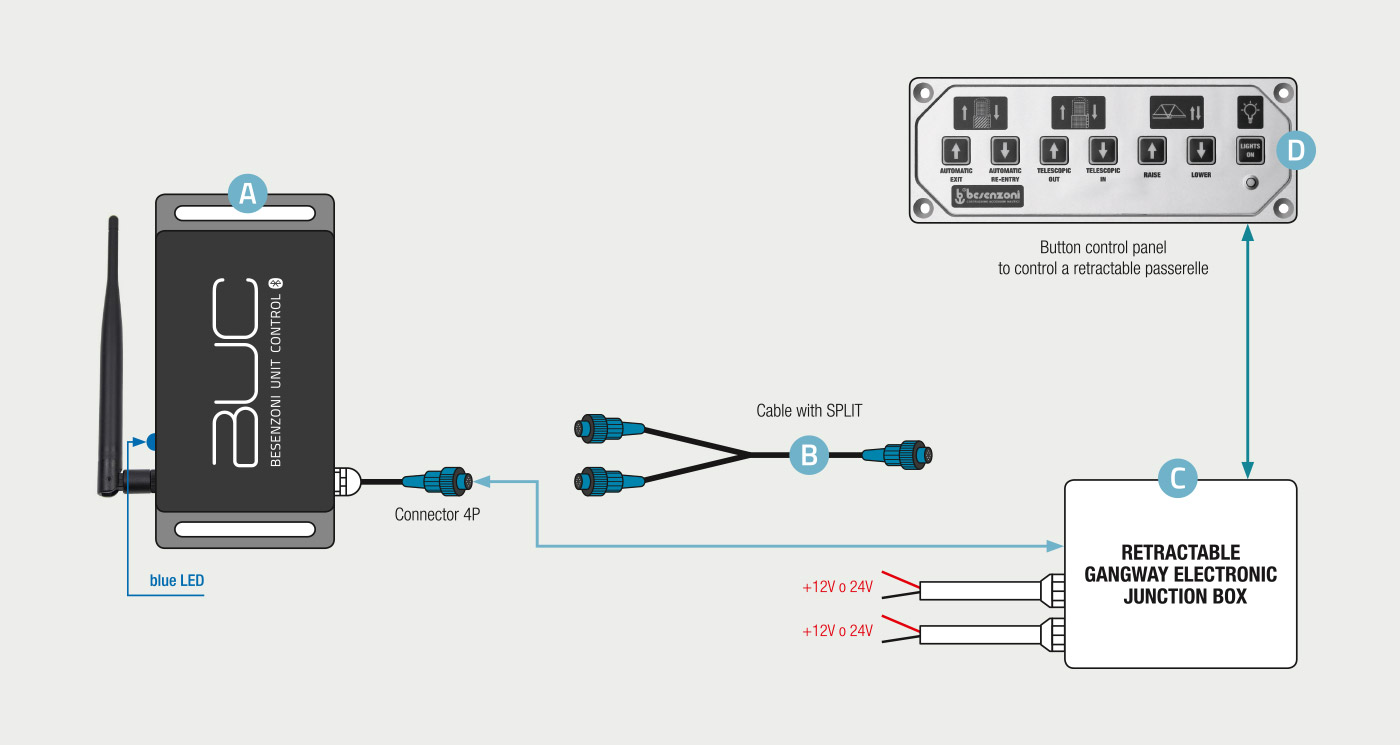
A

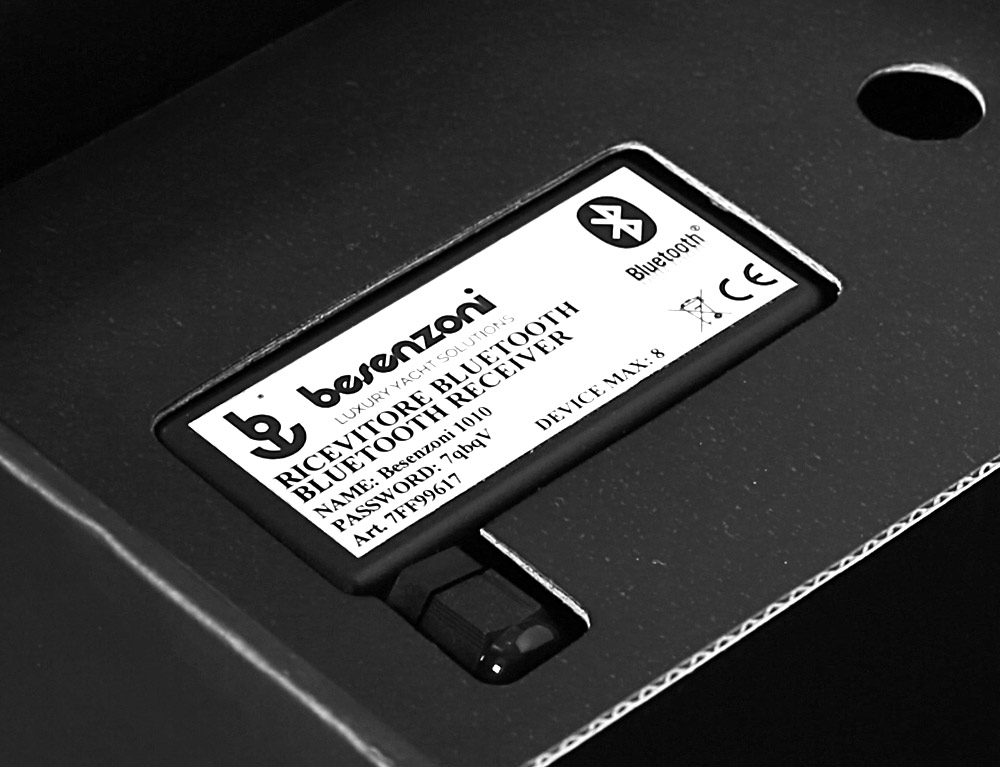
1 BUC - Besenzoni Unit Control.
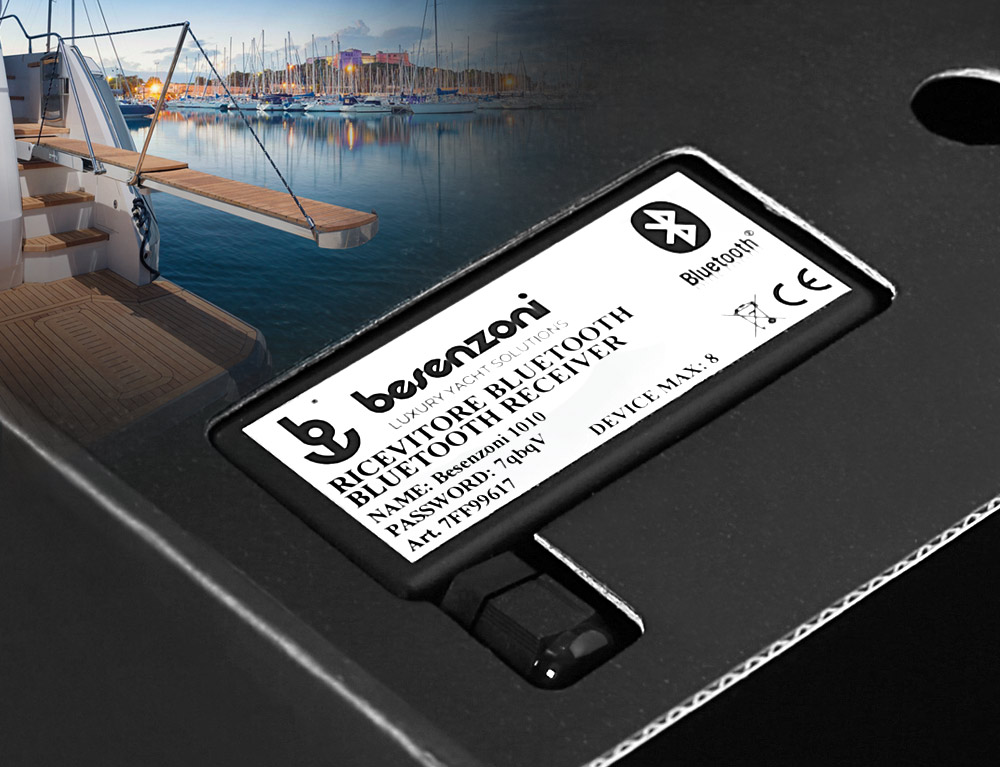
Bluetooth Receiver / Adaptor code 7FF99617 to be used
with up to 8 smartphones/devices.

B

1 cable with split for connection to the 6-key control panel
for moving the retractable gangway to be used in the presence
of systems without dual output.


Besenzoni Unit Control schema black

logo p400 matrix
RETRACTING GANGWAYS
BLACK VERSION

Installation and activation procedure

DOWNLOAD INSTRUCTIONS

- Remove the power source from the system that controls the passerelle.
- Install the BUC receiver/adaptor far away from heat sources and electromagnetic disturbances.

Connect the connector cable of the BUC Besenzoni Unit Control to the electronic control unit of the retractable gangway:

Option 1: In the case in which the electronic control unit is already equipped with double input (from 2018 onwards):
- Leave the electronic board connected fig. C on the 6-key control panel of the retracting gangway fig. D
- Connect the receiver/adapter BUC fig. A directly to the gangway electronic board shown in fig. C in the free socket on the electronic board.

Option 2:In the event that the electronic control unit does not have a double input: - Use the cable fig. B to connect both the BUC and the 6-key panel fig. D.

- Take note of the password on the label attached to the front of the BUC.
- Power the BUC circuit board with the electronic junction box line stabilised at 12/24 volts.
- Restore power to the system.

- Activate the device’s bluetooth.
- Open the App on your device.
- Click Settings from the dropdown menu in the top left-hand corner.
- Choose and set an unlock code which you will also use in the future.

- Deactivate the Demo mode and tick “Start in Command View”.
- Click “Set Device Code” and insert the 5 digit security code shown on the BUC label.

- Click “Select device” and select the device that corresponds to the name shown on the BUC label: e.g. Name: Besenzoni1010.
- Click the Dropdown menu button.
- Click Command and then the screen to start the App.

- The commands to control the passerelle will appear in the next screen.
In order to correctly control the passerelle, you must press and hold the selected command, otherwise an Error message will show up on the device’s screen.
- To restart the controlling operation, press and hold the command again.

Warranty
Besenzoni provides a warranty for the product in compliance with the legislation in force. In case of dispute:
a) for Italian customers, the Italian law will apply and the Court of Bergamo will be competent.
b) for customers outside Italy the arbitrators of the International Chamber of Commerce will be competent.

logo BUC
RETRACTING GANGWAYS
WHITE VERSION

Instructions for installation and use

Important information: Before positioning, installing and commissioning the device, read this instruction manual carefully as it contains important information on assembly, safety and use.
Do not change or tamper with any part of the device.
Improper use could harm people and/or objects.
Besenzoni S.p.A. cannot be held responsible for damages caused by failure to follow these instructions.
Keep these user instructions safe and pass them on to any future users. Only a specialised technician may install the Besenzoni Unit Control contained in this box. You may find it useful to check the “Assistance and Resellers” section in the Besenzoni Control Device App, which includes a map of our official Service points that you can contact.

DOWNLOAD INSTRUCTIONS
logo BUC

RETRACTING GANGWAYS
WHITE VERSION

This box contains:

A

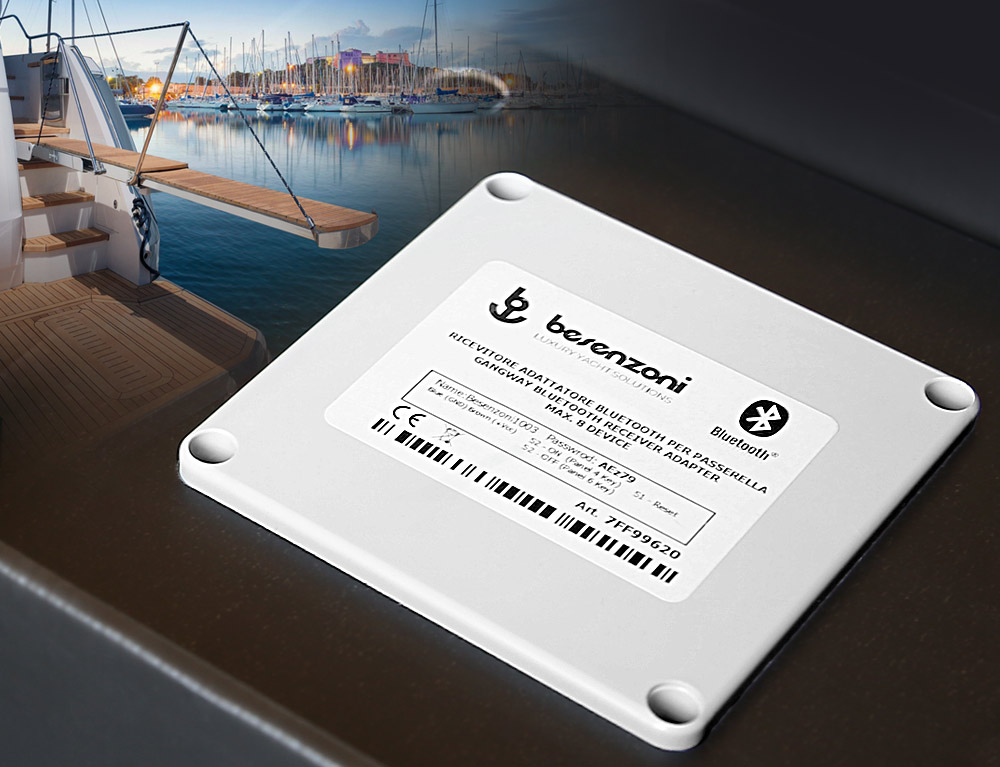
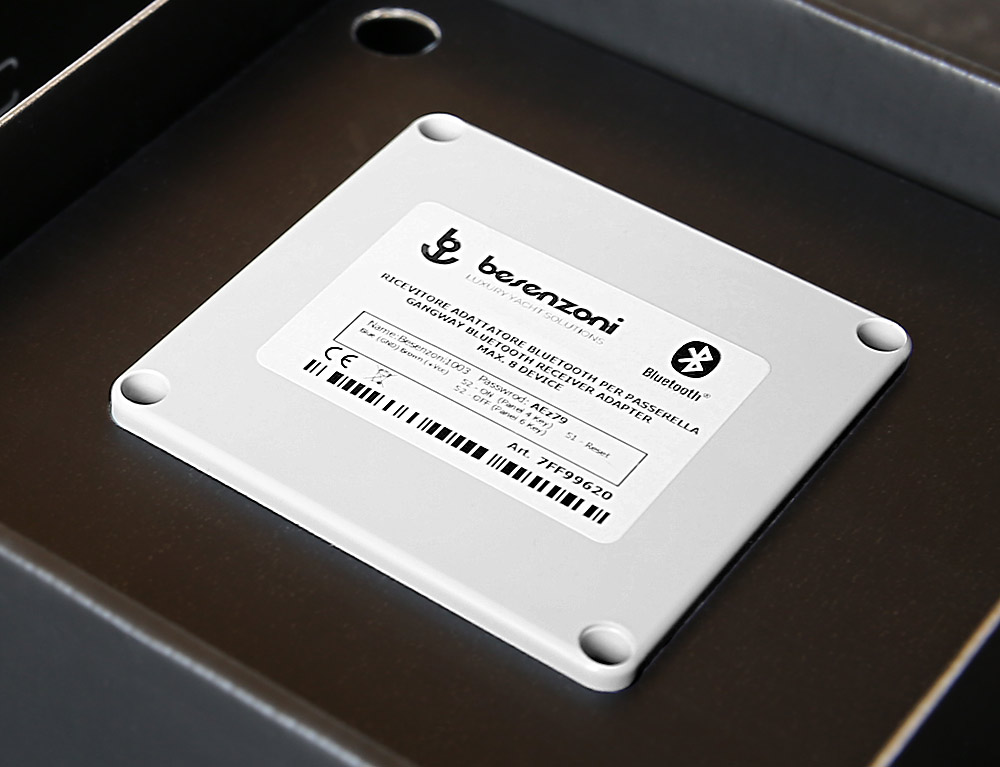
1 BUC - Besenzoni Unit Control.
Bluetooth Receiver / Adaptor code 7FF99620 to be used
with up to 8 smartphones/devices.

B

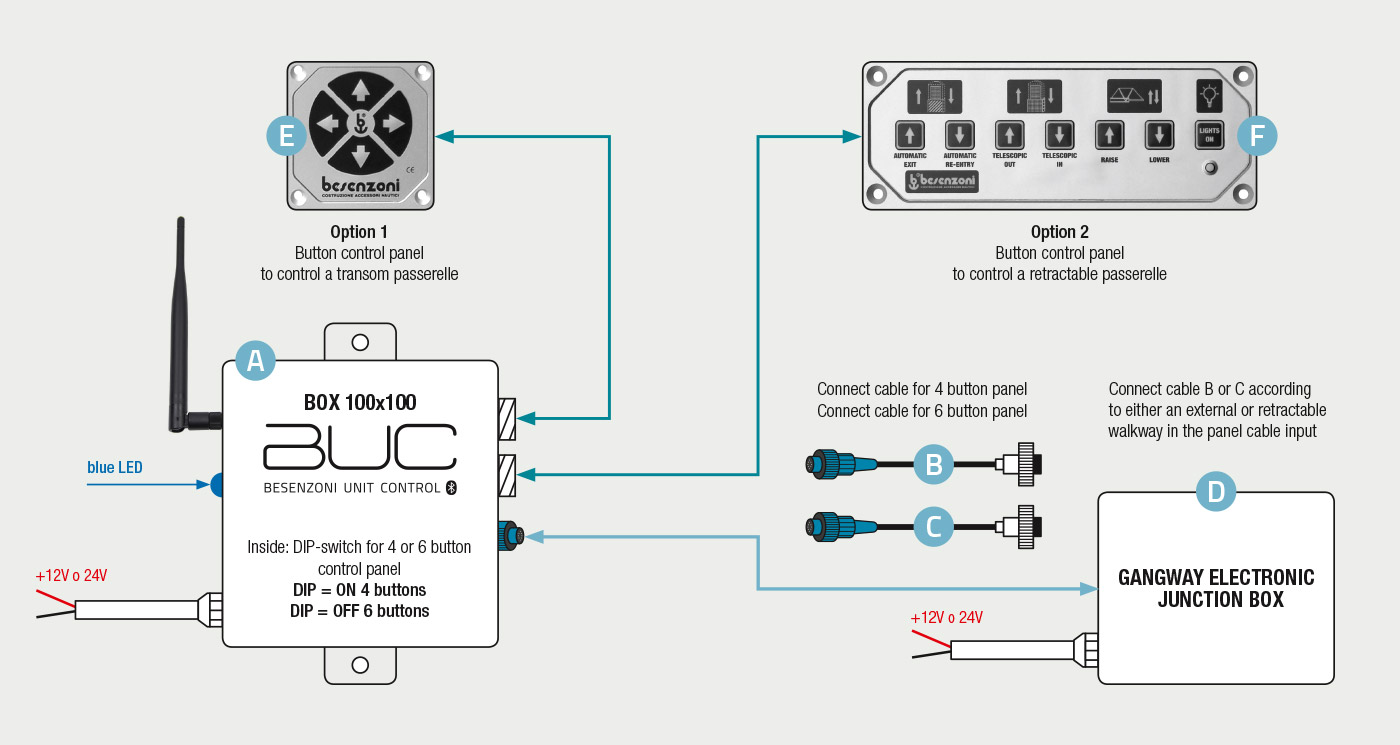
1 connector cable for the 4 button control panel
to control the transom passerelle.

C

1 connector cable for the 6 button control panel
to control the retractable passerelle.


Besenzoni Unit Control schema black

logo p400 matrix
RETRACTING GANGWAYS
WHITE VERSION

Installation and activation procedure

DOWNLOAD INSTRUCTIONS

- Remove the power source from the system that controls the passerelle.
- Install the BUC receiver/adaptor far away from heat sources and electromagnetic disturbances.

Select the appropriate connector cable out of the two that are supplied (see figs. B and C), based on whether the boat is fitted with a transom or retractable passerelle:

Option 1: to control a transom passerelle connected to a 4 button control panel (see fig. E) you must use the connector cable shown in fig. B with 4 PINs. The Bluetooth Receiver / Adaptor must be open and the DIP switch must be turned ON.

Option 2:to control a retractable passerelle connected to a 6 button control panel (see fig. F) you must use the connector cable shown in fig. C with 6 PINs. The Bluetooth Receiver / Adapter has the DIP-switch default to OFF.

- Disconnect the cable connected to the control panel from the electronic junction box (see fig. D) and connect it directly to the BUC (see fig. A). - Take the connector fig. B or C, connect it first to the BUC and then to the control panel socket with the same number of PINs (4 or 6) inside the electronic control unit (fig. D). - Take note of the password on the label attached to the front of the BUC.
- Power the BUC circuit board with the electronic junction box line stabilised at 12/24 volts.
- Restore power to the system.

- Activate the device’s bluetooth.
- Open the App on your device.
- Click Settings from the dropdown menu in the top left-hand corner.
- Choose and set an unlock code which you will also use in the future.

- Deactivate the Demo mode and tick “Start in Command View”.
- Click “Set Device Code” and insert the 5 digit security code shown on the BUC label.

- Click “Select device” and select the device that corresponds to the name shown on the label: e.g. Name: Besenzoni1006.
- Click the Dropdown menu button.
- Click Command and then the screen to start the App.

- The commands to control the passerelle will appear in the next screen.
In order to correctly control the passerelle, you must press and hold the selected command, otherwise an Error message will show up on the device’s screen.
- To restart the controlling operation, press and hold the command again.

Warranty
Besenzoni provides a warranty for the product in compliance with the legislation in force. In case of dispute:
a) for Italian customers, the Italian law will apply and the Court of Bergamo will be competent.
b) for customers outside Italy the arbitrators of the International Chamber of Commerce will be competent.

CONTACT

Fill out this form with the information required

To identify which Bluetooth receiver/adaptor is compatible with the ladder or passerelle being used it is essential to provide some information:

a) Gangway
- Confirm if the gangway installed is an external model
  or a concealed letter box mode.
- Confirm the gangway serial number.
- If possible confirm the circuit board Code: eg. CT6A4 - C608
  (these codes correspond to BUC WHITE VERSION Interface for gangways)
  eg. RSP (these codes correspond to BUC BLACK VERSION interface for gangways).

b) Ladder
- Confirm the ladder/gangway serial number indicated
  on the plate fitted to the underside of the ladder.
- If possible state the circuit board Code: eg. C608SB
  (these codes correspond to BUC WHITE VERSION interface for ladders),
  eg. RSP (these codes correspond to BUC BLACK VERSION interface for ladders).